Clusterward
Backups & recovery

Kubernetes backup without scripts: databases, volumes, versions

Clusterward backs up what makes your applications tick and brings it back in a few clicks: database backups with download and restore into a new database, snapshots of your volumes, every earlier version of a deployment, and your entire workspace configuration as a file.

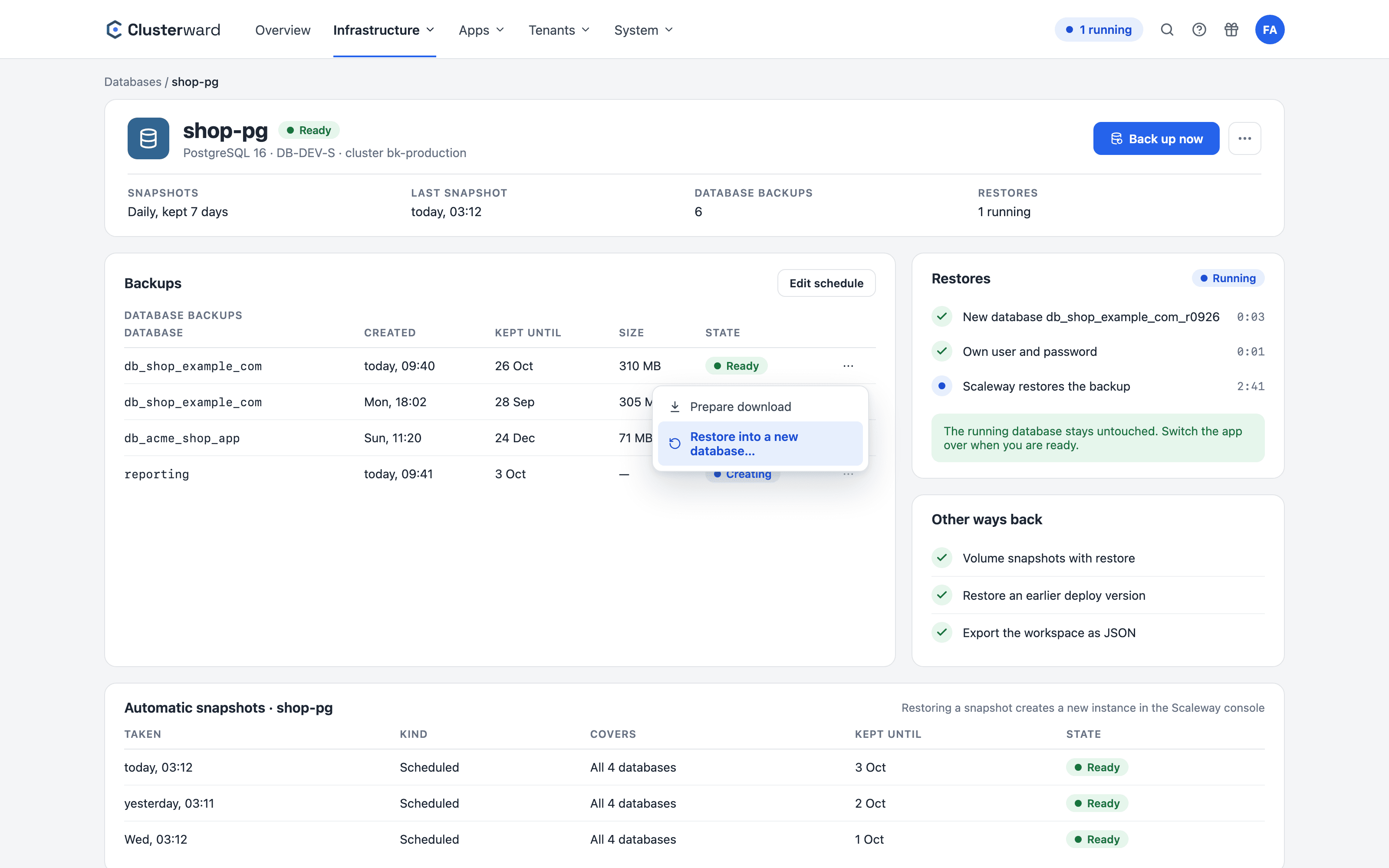
Backups of a database in the Clusterward Cockpit
Simplified view in the Clusterward cockpit: backups of a database
Illustration: a simplified view. The product shows more details and options.
In brief

What backup and recovery means in Clusterward

Kubernetes backup in Clusterward covers four layers: databases via Scaleway Managed Database backups, persistent volumes via Block Storage snapshots, deployments via the exact image version of every rollout, and the workspace configuration as an export. Restores happen alongside what is running, or with a safety copy taken first – never blindly on top of it.

At a glance

Databases
Automatic snapshots, per-database backups, download
Restore
Into a new database alongside the running one
Volumes
Scheduled snapshots, one-click restore
Deployments
Roll out any earlier healthy version again
Offboarding
Dump and archive verified before every deletion
Configuration
Export of the entire workspace as JSON
How it works

From backup back to a running application

  1. 01

    Back up

    Snapshots run on schedule, and you can start a backup of a database yourself at any time.

  2. 02

    Select

    Backups, snapshots and earlier deployments are listed in the cockpit with their timestamps.

  3. 03

    Restore

    A database is created fresh alongside the old one; a volume gets a safety snapshot first.

  4. 04

    Switch over

    You point the application at the restored data and restart – whenever you choose.

What’s included

What backups in Clusterward cover

Every layer has its own way back – in the cockpit, without scripts and without a console.

Automatic database snapshots

Scaleway Managed Database backups in the cockpit: when the last snapshot ran, how often snapshots run and how long they are retained – adjustable on the instance page.

Per-database backup

One click backs up a single database, retained for 7, 30 or 90 days. For download, it is prepared as a compressed SQL file.

Restore alongside the running database

A backup is restored into a new database with its own user and password. The running database stays untouched until you switch over.

Volume snapshots

Scheduled snapshots with retention, a snapshot before every deletion, and restores with a safety snapshot taken first. This also applies to the disks a Helm chart brings along itself.

Roll out an earlier version

“Restore this version…” in the deploy history rolls out exactly the image of an earlier healthy version – for Helm, the chart version and values.

Exact image by digest

Every rollout records the image the tag points to at that moment. New builds also get a fixed sha tag in the registry.

Offboarding with dump and archive

Before a customer is torn down, a verified database dump and bucket archive are already in your backup bucket.

Workspace export

The entire configuration as a single JSON file: applications, infrastructure, pipelines, users, audit log. Passwords and keys are never included.

Only with confirmation

Restores require the name to be typed as confirmation and never run automatically. Every action is recorded in the audit log.

Standards, not DIY

Built on Scaleway and Kubernetes tooling

  • Scaleway Managed Database

    Snapshots and backups are created in Scaleway itself and are also visible in the console.

  • Block Storage snapshots

    Persistent volumes are backed up as Scaleway Block Storage snapshots.

  • Registry digest

    A rollout’s image is uniquely identified by its sha256 digest, no matter where the tag points later.

  • Standard formats

    Dumps as pg_dump or SQL, archives as ZIP, exports as JSON – readable without Clusterward.

What changes

Backups with and without Clusterward

Facts

What can be restored, and how

Every layer has its own backup and its own way back.

LayerBacked up asWay back
DatabaseScaleway snapshot and per-database backupNew database alongside the running one
VolumeBlock Storage snapshot, including disks from Helm chartsRestore with a safety snapshot
DeploymentImage digest of every rolloutRoll out an earlier version again
Customer in offboardingDump and ZIP archive in the backup bucketDownload, restore with standard tools
Workspace configurationJSON exportFile for your records or a migration
Cluster add-onPrevious chart version on the add-onUpgrade back to the previous version
Further reading

How backups fit in

Database backups are part of Managed databases – that is also where you’ll find instances, additional users and imports from existing databases.

How volume snapshots and restores work in detail is covered under Volumes & snapshots; rolling back to an earlier version under Deployments.

What gets backed up when a customer leaves is described under Tenant pipelines.

Whether a crash is really over after a restore is shown by the logs of all instances under Logs & monitoring; what Helm charts do with their disks is covered in the post Helm charts and their disks.

Related pages

What goes with it

Deployments

Git, container image or Helm chart – rolled out with a health check.

Go to Deployments
FAQ

Frequently asked questions about backups & recovery

  • At Scaleway, in your project: automatic snapshots and backups of individual databases are features of Scaleway Managed Database. Clusterward displays them, starts them with a click and prepares downloads.

Backups and recovery in the demo

We back up a database, restore it alongside the running one and roll out an earlier version of your application.