
Clusterward
For platform operators

Your own workspace: a control plane just for you

Clusterward is SaaS, but not a shared data pool. Every customer gets a workspace with its own database, its own data key, its own backup bucket and its own address. Your clusters and data stay in your Scaleway project.

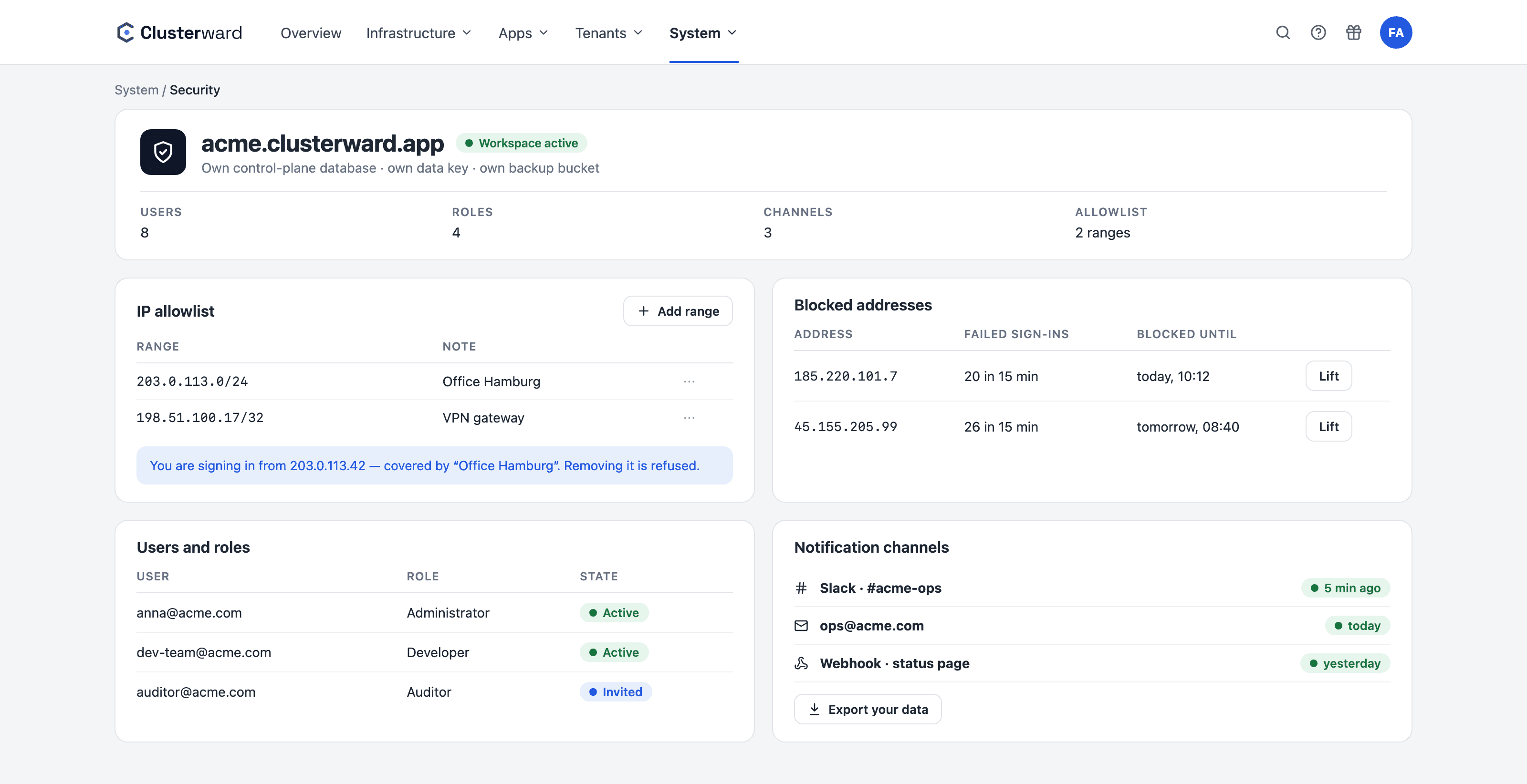
System area in the cockpit: workspace address, IP allowlist, users and roles, notification channels
Simplified view in the Clusterward cockpit: security area of a workspace
Illustration: a simplified view. The product shows more details and options.
In brief

What a workspace is

A workspace is your own, separated part of the Clusterward control plane within the service operated by BitKollegen. It has its own control plane database; its own data key, which encrypts all your credentials; its own bucket for database dumps and bucket archives; and its own address under clusterward.app with a certificate. The workspace is identified by its hostname before any sign-in takes place; an IP allowlist can shield it further. Users, roles, channels, clusters, pipelines: everything belongs to your workspace alone.

At a glance

Database
Dedicated control plane database per workspace
Key
Dedicated data key, wrapped by the platform key
Backups
Dedicated bucket for dumps and archives
Address
Dedicated subdomain with certificate
Network
IP allowlist per workspace, Cloudflare-aware
Infrastructure
Clusters, databases, buckets in your Scaleway project
How it works

From contract to workspace

  1. 01

    Demo

    We look at your applications and your Scaleway setup.

  2. 02

    Workspace

    Database, key, bucket and address are created, and your first administrator receives an invitation by email.

  3. 03

    Profile

    You store your Scaleway project’s IAM key, verified and encrypted.

  4. 04

    Clusters

    Connect an existing cluster or create a new one, secure by default.

  5. 05

    Team

    Invite users, assign roles, set the allowlist and alert channels.

What’s included

What your workspace comes with

The kind of separation you normally only get from a control plane by running it yourself.

Dedicated database

No tables shared with other customers. Your clusters, services, pipelines and logs live in a database that only your workspace knows about.

Dedicated key

Credentials, kubeconfigs and variables are encrypted with a data key belonging to your workspace. Another workspace cannot decrypt them, not even with access to the database.

Dedicated backup bucket

Database dumps and bucket archives from offboardings end up in a bucket that belongs only to your workspace, with your retention rule.

Dedicated address

Your workspace responds under its own subdomain with its own certificate. The hostname determines which workspace is addressed, even before sign-in.

IP allowlist

Restrict access to your office and VPN addresses. The check recognizes Cloudflare addresses and rejects spoofed headers; locking out your own address is prevented.

Your infrastructure, your project

Clusters, databases, buckets and the registry are created in your Scaleway project with your IAM key. You see everything in the Scaleway console and pay for it directly to Scaleway.

How it is built

What the separation rests on technically

  • Landlord registry

    A directory knows the workspaces and their databases; each workspace is identified by its hostname.

  • Wrapped keys

    AES-256-GCM per workspace, with the data key itself protected by the platform key.

  • Shared processes

    Multiple instances serve all workspaces; each piece of work is claimed in the workspace’s database, never twice.

  • Auto-migration

    An update brings every workspace database up to date, and failures stay isolated.

What changes

Shared platform with and without a workspace

Facts

What is yours and what is shared

An honest limit: the service itself runs as shared processes. Everything that holds data is separated.

LayerPer workspaceShared
Control plane databaseDedicatedNothing shared
Data keyDedicated, wrappedPlatform root key
Backup bucketDedicatedNothing shared
Address and certificateDedicated subdomainBase domain clusterward.app
EmailsYour domain in sender, subject and footerSent through the platform’s mail server
Users, roles, channels, audit logDedicatedNothing shared
Clusters, databases, bucketsYour Scaleway projectNothing shared
Service processes and updatesNone of its ownOperated by BitKollegen
Further reading

Dig deeper

How roles, mandatory 2FA and the audit log work within the workspace is explained under Security & access. Where the data lives and why operating in the EU is a deliberate decision, under Digital sovereignty.

The first cluster in the workspace is created via Cluster provisioning or by connecting an existing cluster, as described in Getting started.

Related pages

What goes with it

FAQ

Frequently asked questions about your own workspace

  • The separation sits one level deeper. A tenant is a column in shared tables; a workspace has its own database, its own key and its own bucket. A faulty query cannot hit other customers’ rows, because they do not exist in that database.

Can’t find your question? Write to us – we usually reply on the same business day.

Ask a question

Discuss your workspace

In the demo, we show you a workspace from the inside: separation, roles, allowlist and the path your data takes.